Serving 3.4 billion GPS points sub-second, in a browser tab
How Earth Traffic replays five years of a country's roads — and the cloud-native architecture that makes it queryable from a single map console
ELEMNT Engineering · ~9 min read
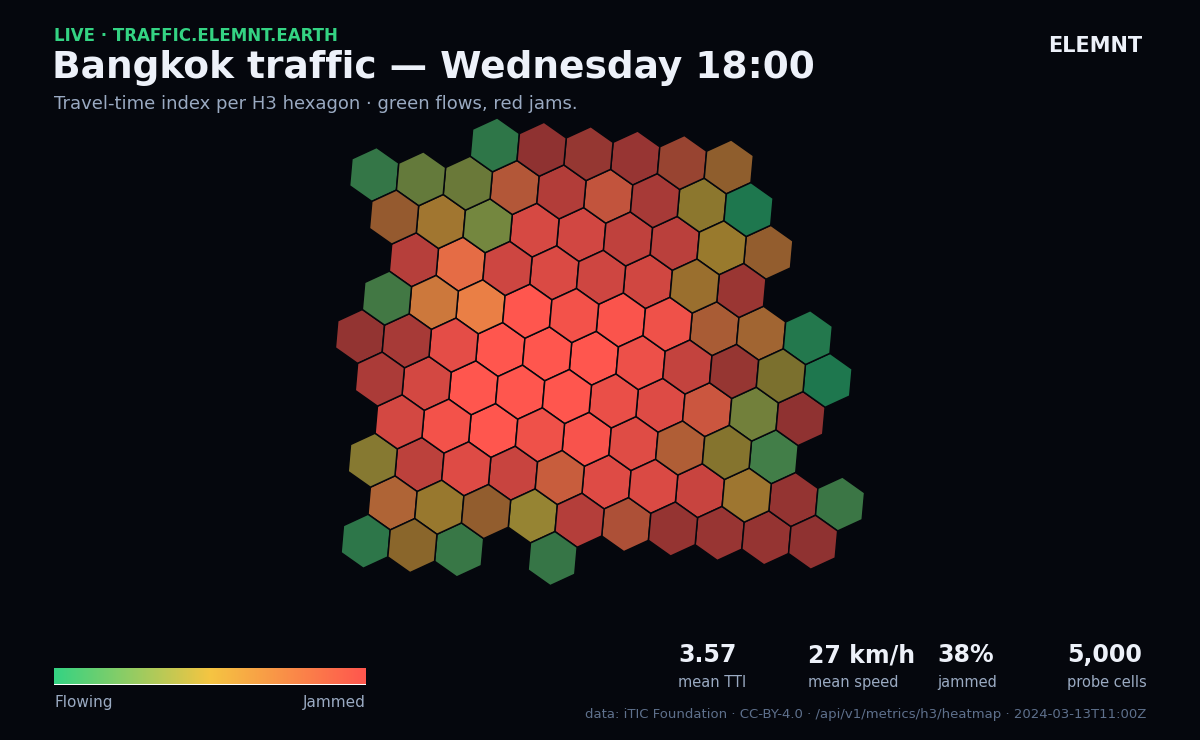
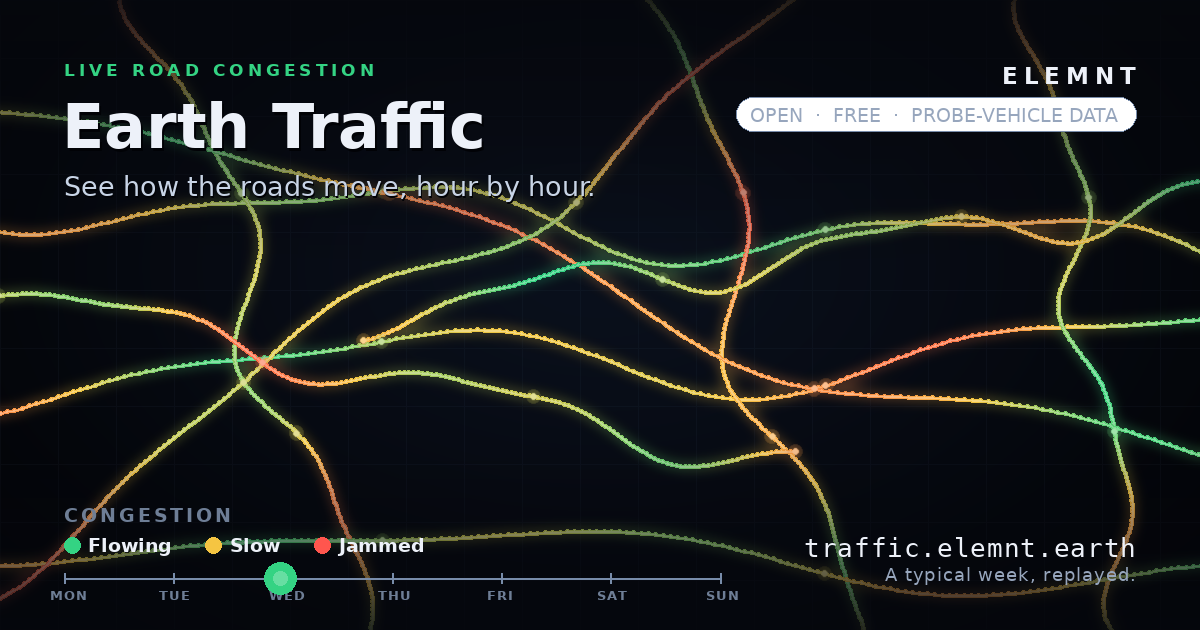
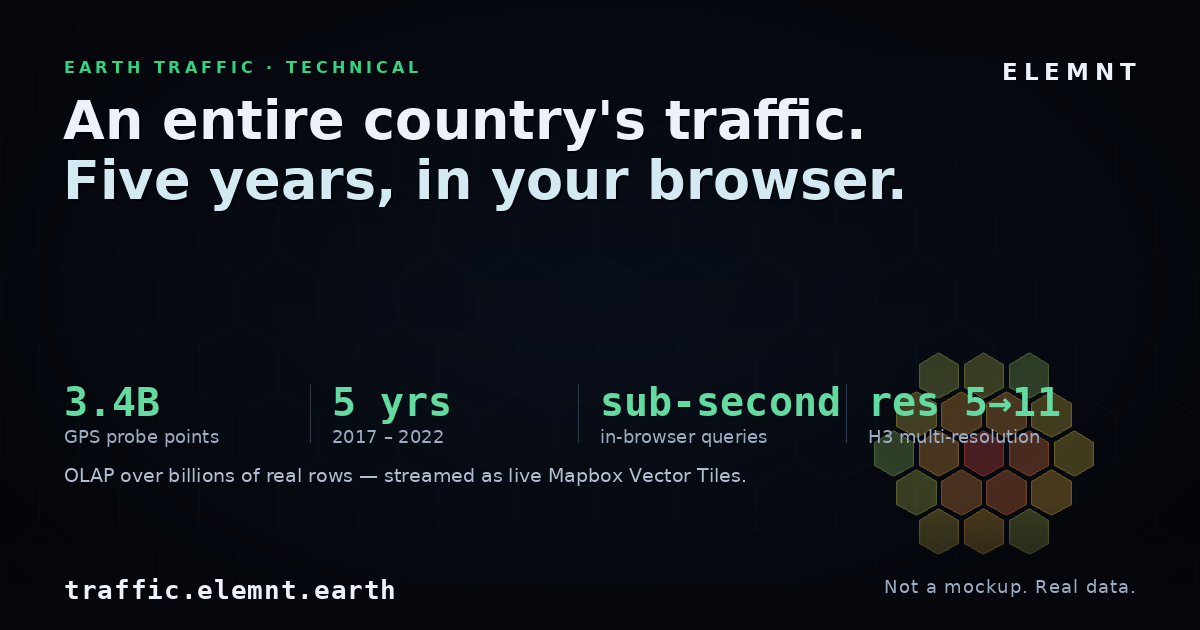
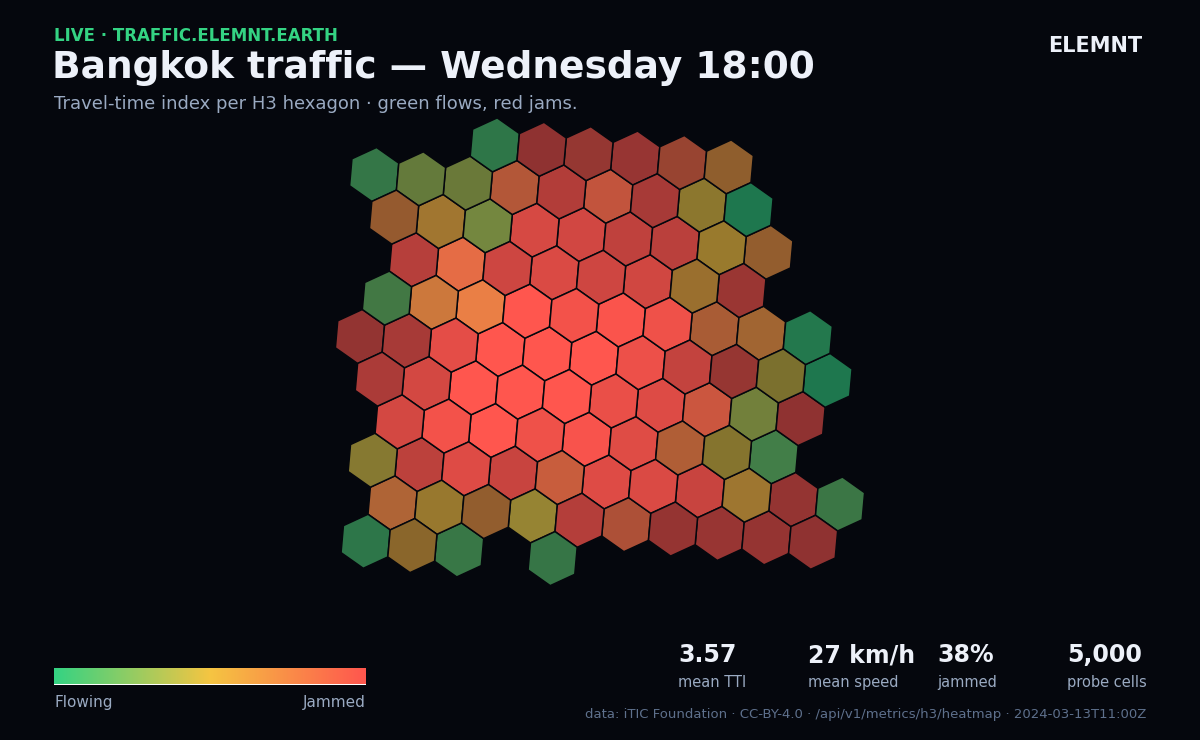
/api/v1/metrics/h3/heatmap): 5,000 GPS-probe cells for Bangkok at Wednesday 18:00, aggregated to H3 res-6 and coloured by travel-time index — a deep-red gridlocked core fading to green at the edges. Mean TTI 3.6, mean speed 27 km/h, 38% of cells jammed (LOS F). Data: iTIC Foundation (CC-BY-4.0).Earth Traffic is a free, open archive of how the roads move. It takes 3.4 billion GPS probe points — five years of floating-car data covering all of Thailand — and lets you scrub through a typical week, or any specific hour across 2017–2022, on a calm, map-first console. No login, no paywall, nothing to install.
The interesting part isn't the map. It's that the whole thing answers queries over billions of rows in sub-second time, live, in the browser. This post is about how that's put together, and why a traditional geospatial stack can't do it.
Why this is hard
The naive version of this product is a tile server sitting in front of a spatial database. A request comes in for a map tile, the server runs a spatial query, rasterizes or vectorizes the result, and ships it back. That design is fine for thousands or even millions of features. It falls over well before billions.
Three things break at once. The per-request query cost is linear in the data you touch, so every pan and zoom re-pays it. The geometry is heavy — storing and intersecting raw polygons for a nationwide road network is expensive to read and slower to compute. And time makes it worse: five years of hourly data isn't one dataset, it's tens of thousands of them, and a per-request stack has to filter the haystack on every interaction.
You can't buy your way out of this with a bigger box. The fix is architectural: do the heavy work once, store it in a shape that's cheap to read, and serve precomputed results. That's the whole game.
The data
The raw input is GPS probe data — floating-car data from anonymous vehicles. Each point carries a position, a timestamp, and a speed. From those, the pipeline derives the metrics traffic engineers actually use: TTI (Travel Time Index), PTI (Planning Time Index), speed (km/h), and LOS (Level of Service, the A–F congestion grade). Those are the values you see painted on the map and read out in the console.
3.4 billion points is enough that the storage and query strategy matters more than any single clever query. So the design starts there.
Architecture in one picture
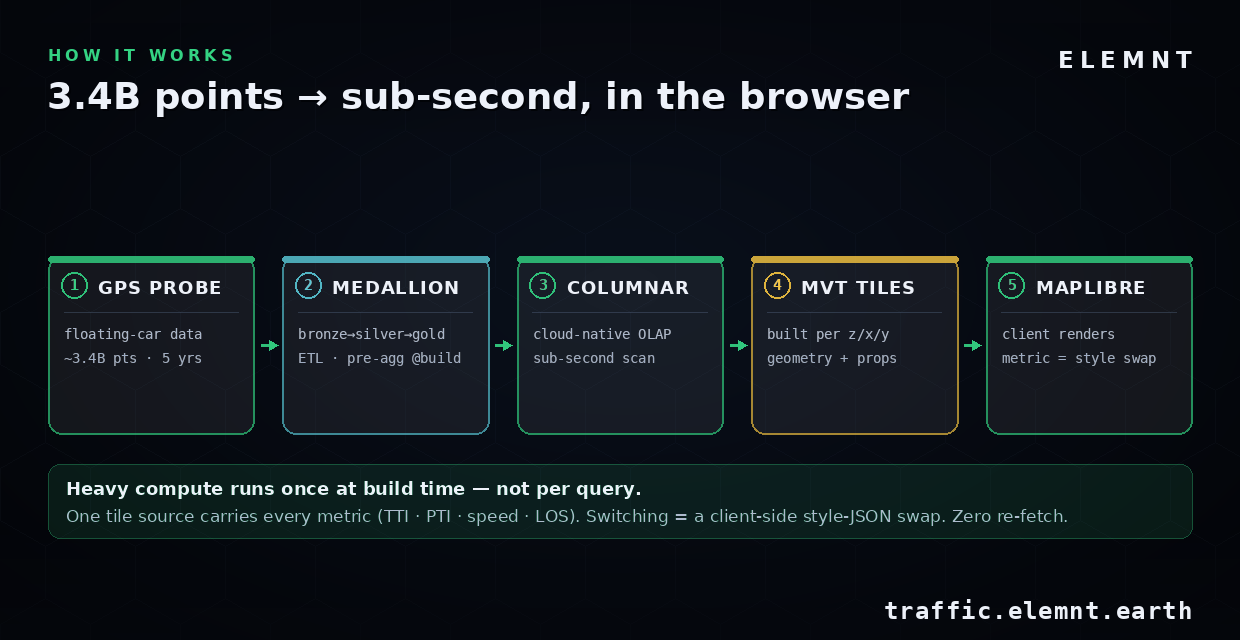
The flow is left to right, and the single most important property is written across the bottom of the diagram: heavy compute runs once at build time, not per query. Everything else follows from that.
1. Pre-aggregate at build time (the medallion pipeline)
Ingestion follows a medallion pattern. Bronze is the raw probe points, landed as-is. Silver is cleaned and conformed — bad fixes dropped, timestamps normalized to UTC, speeds sanity-checked. Gold is the payload the app actually serves: metrics pre-aggregated per H3 cell, per hour. The expensive spatial-temporal aggregation happens here, in batch, exactly once. By the time a user opens the map, the answer to "what was congestion in this hexagon at 14:00 on a Wednesday" has already been computed and stored.
This is the inversion that makes sub-second possible. A per-request stack computes the answer when you ask. Earth Traffic computes it when it builds, and at query time it's doing a lookup-and-aggregate over precomputed rows, not a raw spatial join.
2. H3 as the spatial index
The spatial index is H3, Uber's hierarchical hexagonal grid. Instead of storing road geometry as polygons, every probe point is quantized into the hexagon that contains it — at several resolutions at once, from res 5 (coarse, national) down to res 11 (fine, street-level).
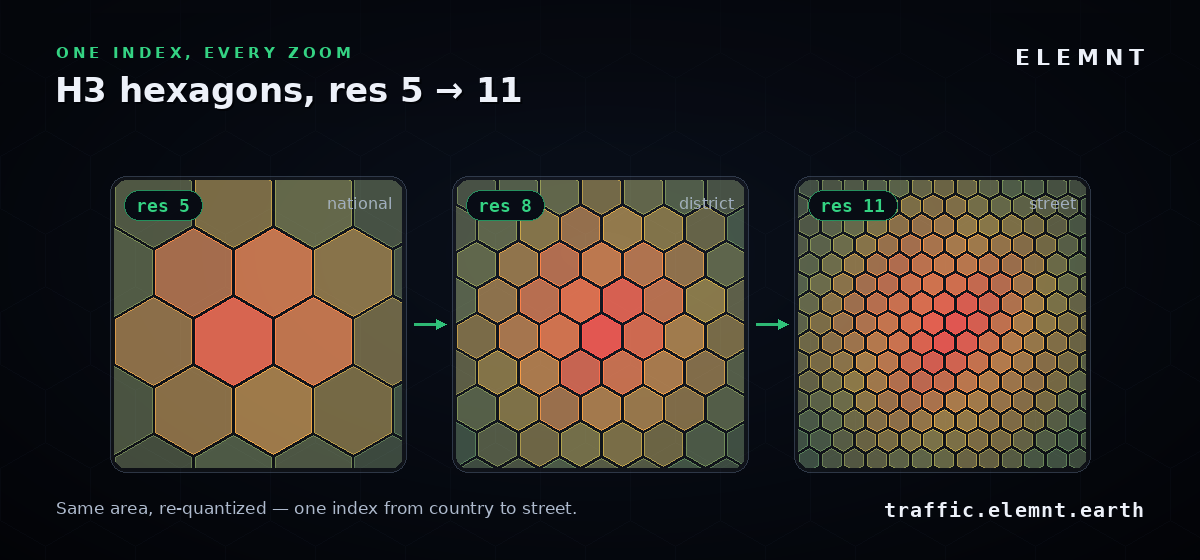
This buys two things. First, the index is just an integer per cell, so there's no polygon geometry to store or intersect — joins become hash lookups. Second, resolution maps cleanly onto zoom: at the national view you serve coarse cells, and as the user zooms in you serve finer ones, all in the same coordinate system. The grid "re-quantizes" itself across zoom levels with no seams and no special-casing.
3. Columnar OLAP, sub-second
At query time, a cloud-native columnar geospatial engine does the aggregation. Columnar storage is the right tool here because the queries are analytical: aggregate one or two metrics across a slice of cells and hours. A column store reads only the columns a query touches and skips the rest, so a query over a billion-row table scans a few narrow columns rather than the whole width. Combined with the gold layer's pre-aggregation, that's what lands the response in the sub-second range.
4. Serve as live MVT
The result of each query is wrapped as a Mapbox Vector Tile (MVT), generated on the fly per z/x/y. The browser receives the hexagon geometry plus its properties — tti, los, speed, probes — and renders it client-side with MapLibre GL. No image tiles, no server-side rendering: the client gets data and decides how to draw it.
The trick worth stealing: one tile source, every metric
Here's the design decision that makes the UI feel instant. The tiles don't encode a rendered metric — they carry every metric in their properties. The map has a single tile source, and switching what you're looking at is purely a client-side restyle.
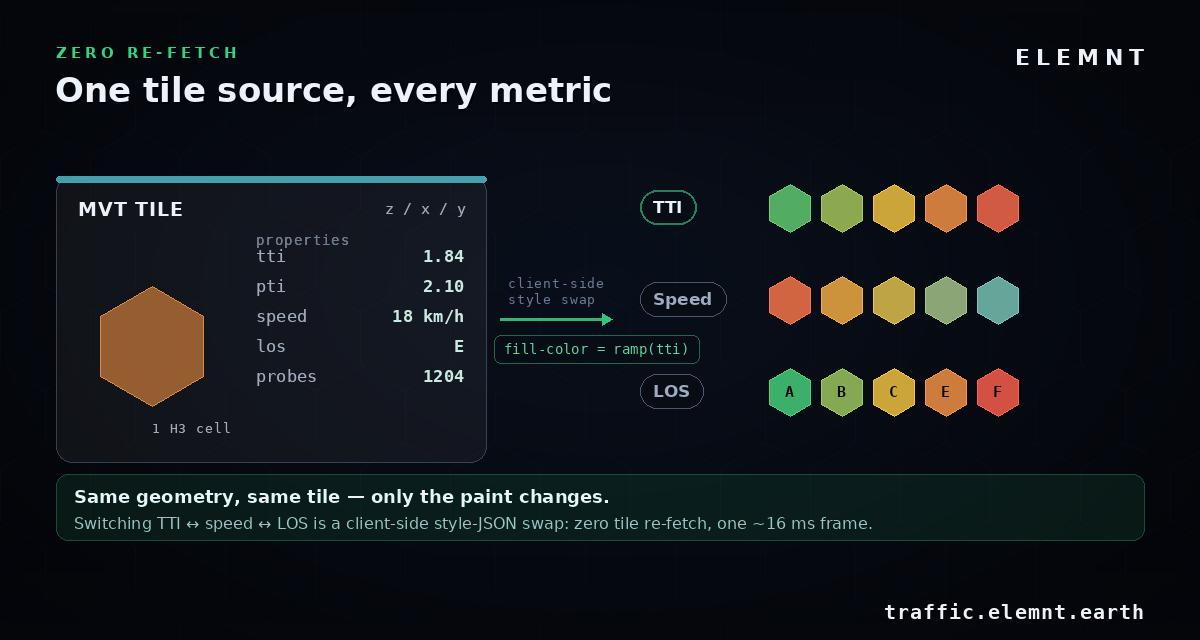
In MapLibre, the colour of a layer is a data-driven expression over a feature property. Painting by TTI looks like this:
{
  "id": "congestion",
  "type": "fill",
  "source": "earth-traffic",
  "source-layer": "hex",
  "paint": {
    "fill-color": [
      "interpolate", ["linear"], ["get", "tti"],
      1.0, "#34d383",
      1.5, "#f5c542",
      2.5, "#ff564e"
    ]
  }
}
To switch the entire map from TTI to speed, you change ["get", "tti"] to ["get", "speed"] (and its stops) and call setPaintProperty. That's it. The tiles already on the GPU don't move; no new network request is made. The layer re-colours in a single animation frame — about 16 ms — because you changed the paint, not the data. The same property bag also powers the hover tooltip, which is why pointing at any hexagon resolves its numbers in one frame too.
Time travel
The time dimension is a first-class control, not a filter buried in a menu. The scrubber steps any hour across the full five years; a density sparkline above it shows which hours actually have probe coverage, so you're never fooled by a quiet hexagon that's really just a gap in the data. The whole thing is keyboard-driven — space to play, ← / → to step one hour — because anyone who watches traffic patterns for a living wants to scrub frame by frame, not hunt for a slider with a mouse.
Open by default
Earth Traffic is built standards-first, so the data doesn't dead-end at the screen. It speaks OGC API – Features, and you can stream the same queries out as GeoJSON, CSV, or NDJSON — no auth required. Timestamps are UTC ISO-8601, coordinates are EPSG:4326, speeds are km/h. The request pattern is the ordinary OGC one — a bounding box and a datetime against a collection:
# representative — a bbox + hour, streamed as newline-delimited JSON
curl "https://traffic.elemnt.earth/collections/hex/items\
?bbox=100.3,13.5,100.9,14.0\
&datetime=2019-11-04T08:00:00Z\
&f=ndjson"
Most map platforms make you screen-scrape or pay per request to get data back out. This is the opposite stance: open formats, an open API, build on top immediately.
The console as an instrument
All of this is wrapped in a deliberately calm, dense UI — an operations console for city infrastructure rather than a dashboard. Around thirty live values update at once, monospaced and exact: zoom, active H3 resolution, the hour you're parked on, the query latency, the tile source. It's designed to be read the way an engineer reads an instrument, not skimmed the way you skim a brochure. That's the honest summary of the whole project: at this scale, the architecture is the product.
Try it
traffic.elemnt.earth is live and free. Open it, grab the scrubber, and watch a country's roads move hour by hour — then switch metrics and notice that the map never re-fetches.
What is ELEMNT?
ELEMNT is the cloud-native geospatial data platform — open formats (PMTiles, COG, Zarr, GeoParquet) served straight from object storage, OGC API-compliant, with transparent pay-per-use pricing and no vendor lock-in. From a single project to a billion tiles. Earth Traffic is one demo of what it can do.