Eleven service types, four render engines, one URL box — a tour of geodebug.io
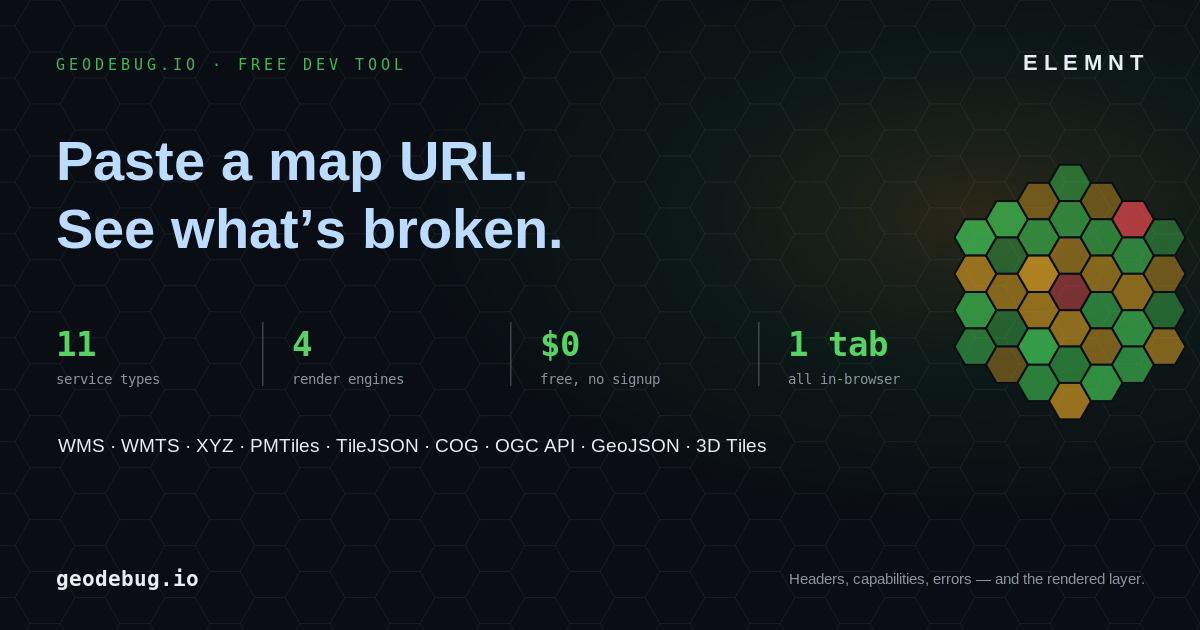
geodebug.io is a free, no-signup tool from the team behind ELEMNT for debugging map services. Paste a WMS, WMTS, XYZ, PMTiles, TileJSON, COG, OGC API, GeoJSON, or 3D Tiles URL and it shows you the headers, the capabilities, the errors, and the actual rendered layer — in whichever engine you choose.
ELEMNT Tools · ~10 min read
You know the loop. A tile URL that worked yesterday is returning grey squares. Is it CORS? A 403 on the key? The wrong
TileMatrixSet? A capabilities document that lies about its CRS? So you open a throwaway MapLibre fiddle, paste the URL, open the network tab, squint at a response, change one thing, and reload. For the tenth time today.
geodebug.io collapses that loop into one box. It's a single-page tool that takes a map-service URL, fetches it the way a real client would, and puts three things in front of you at once: what the server actually returned, why it's failing if it's failing, and the layer drawn on a map. No project to scaffold, no key to mint, no account. This is a walk through what's in it.
One box, eleven service types
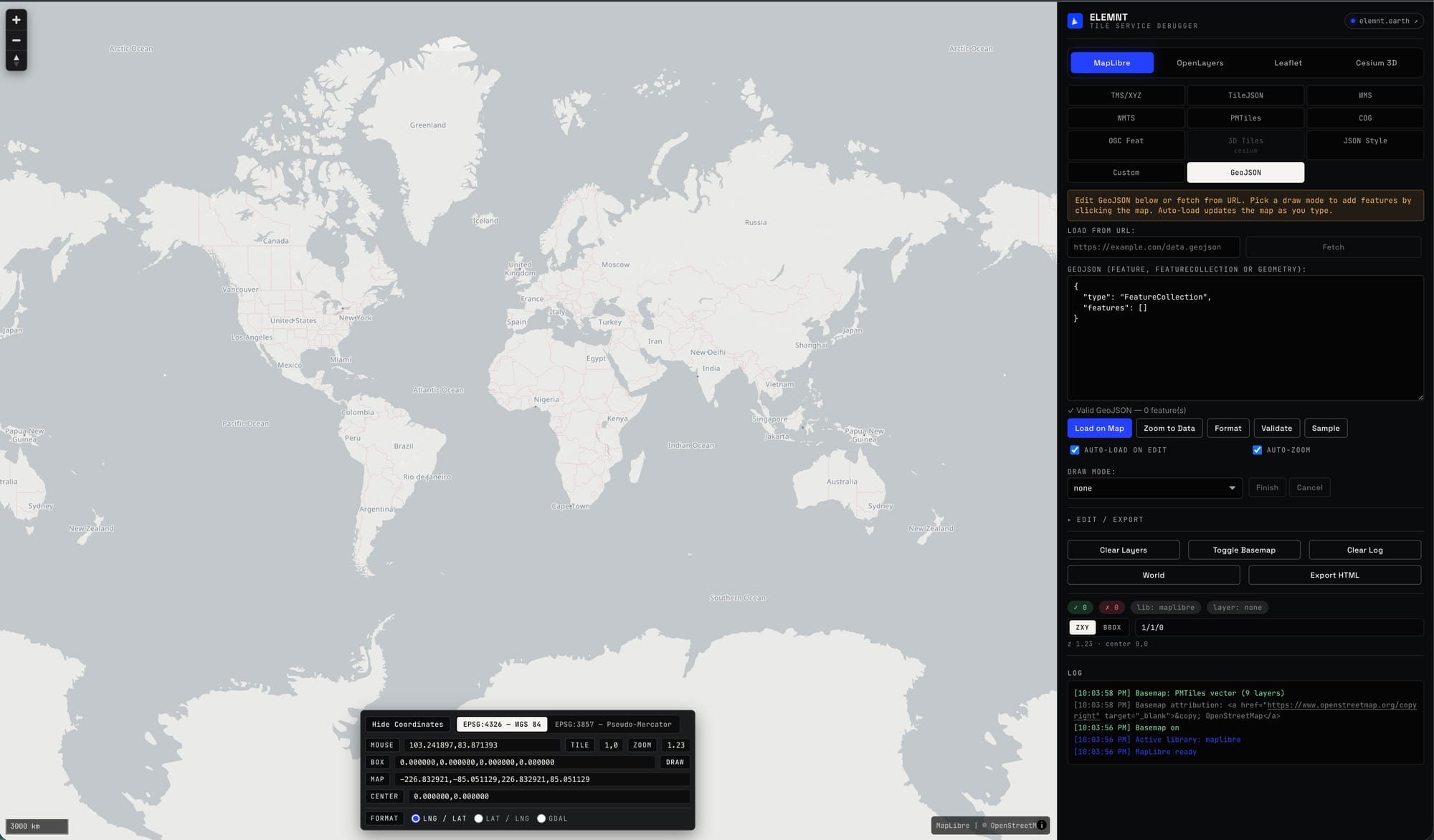
The left edge of the panel is a grid of source types, and it's deliberately broad. geodebug.io speaks the formats geospatial developers actually fight with:
- WMS — parses
GetCapabilities, gives you a layer and CRS picker, renders as a transparent overlay. - WMTS — handles both KVP and RESTful modes and detects the
TileMatrixSetfor you. - XYZ / TMS — raster and vector tiles, with raw-fetch testing so you can see the bytes for a single
z/x/y. - PMTiles — a header inspector and metadata viewer, with vector or raster preview straight from the archive.
- TileJSON — auto-detects raster vs. vector and renders accordingly.
- COG — cloud-optimized GeoTIFF, previewed in the browser.
- OGC API – Features — a collection browser and item loader for the modern OGC web API.
- GeoJSON — a full viewer, editor, and on-map drawing surface (more on this below).
- OGC 3D Tiles — load a
tileset.jsonand render it in 3D. - Plus JSON Style and Custom for raw MapLibre style documents and one-off sources.
That's eleven entry points into the same map. Most "tile testers" do XYZ and stop. The reason this one matters for day-to-day GIS work is that the painful debugging is rarely the XYZ raster — it's the WMTS whose TileMatrixSet doesn't match your viewer, or the WMS whose capabilities advertise an EPSG code it won't actually serve. geodebug.io reads those capability documents and tells you what's in them.
Four engines, one URL
Across the top sit four renderers: MapLibre, OpenLayers, Leaflet, and Cesium 3D. The same source can be thrown at each one, which turns out to be a debugging tool in itself — if a layer renders in OpenLayers but not MapLibre, that narrows the problem from "the server is broken" to "my MapLibre style expression is wrong" in about four seconds.
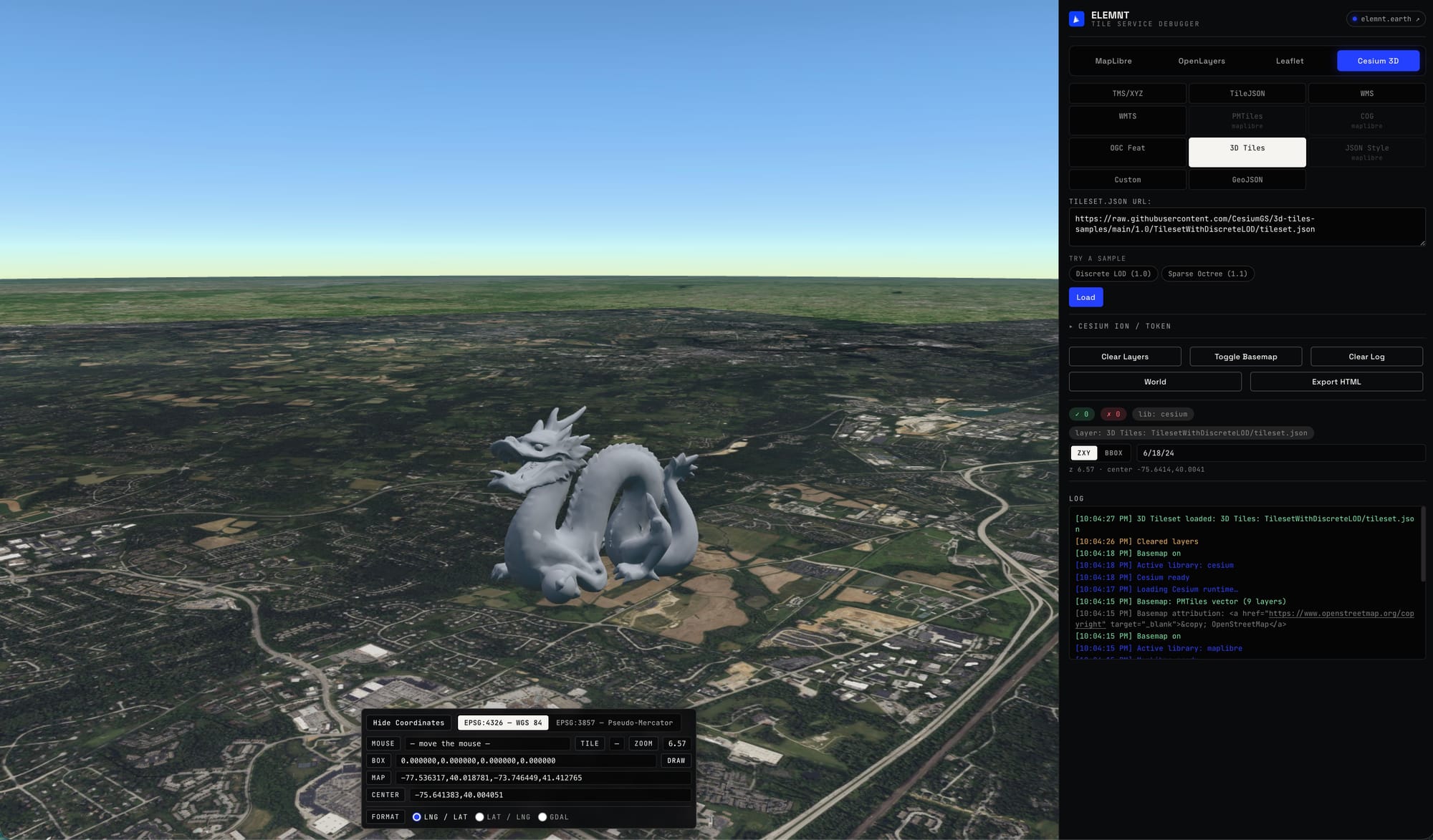
The source-type buttons are engine-aware: pick Cesium 3D and the raster-style sources dim while 3D Tiles lights up; pick MapLibre and PMTiles, COG, and JSON Style become available while 3D Tiles greys out. You're never offered a combination the active engine can't draw, which quietly removes a whole class of "why is nothing happening" confusion.
The GeoJSON workbench
The GeoJSON mode is the one you'll reach for between debugging sessions. It's a live editor with validation — type or paste a Feature, FeatureCollection, or bare geometry and it tells you ✓ Valid GeoJSON — N feature(s) as you go, or shows you exactly where the JSON breaks. There's Format, Validate, and a Sample button for when you just need something on the map, plus auto-load on edit and auto-zoom so the map tracks your typing.
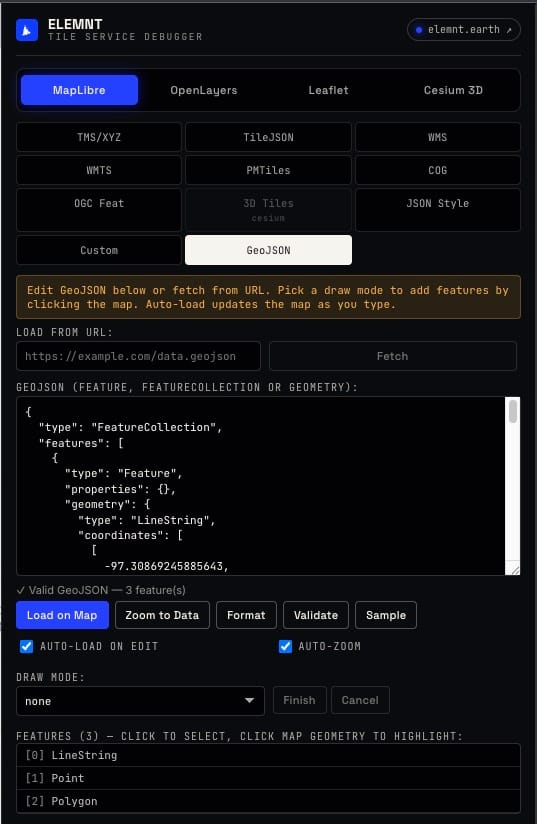
You can also fetch from a URL, then draw directly on the map in point, line, or polygon mode to add features by clicking, and copy or download the result. It's a small thing that replaces three other tools: the GeoJSON linter, the "draw a quick bounding polygon" site, and the throwaway viewer you paste API responses into. And because it's the same engine switcher as everything else, you can confirm your GeoJSON renders identically in MapLibre and OpenLayers before you ship it.
3D in the same tab
Switch to Cesium 3D, point it at a tileset.json, and geodebug.io renders OGC 3D Tiles over a globe — with a Cesium Ion token field for tilesets that need one. The log tells you when the runtime has loaded and when the tileset is in.
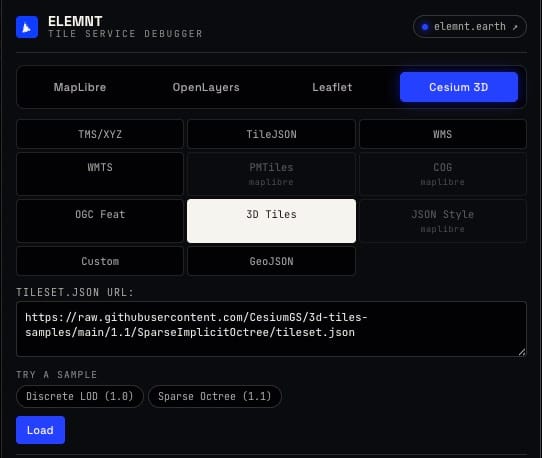
3D tile debugging is usually a project unto itself — a local server, a Cesium build, a viewer you wrote once and forgot. Having it one tab over from your XYZ raster test means you can sanity-check a tileset's transform or LOD without standing anything up.
The part you actually came for: the debug surface
Rendering the layer is table stakes. The reason to keep geodebug.io pinned is everything around the map.
A coordinate readout runs along the bottom: live mouse position in both EPSG:4326 (WGS 84) and EPSG:3857 (Pseudo-Mercator) at once, the tile z/x/y under the cursor, the current zoom, the map extent, and the center — with a format toggle that includes GDAL order, so you can paste a bbox straight into a gdal_translate -projwin call. You can draw a bounding box on the map and read its coordinates back. For anyone who has manually flipped lng/lat or recomputed a Web Mercator bbox by hand, this alone earns the bookmark.
A timestamped log records every step — active library, basemap state, capabilities fetched, layers loaded, and the errors verbatim. When a service fails, you get the actual reason (the failed request, the CORS rejection, the malformed capabilities) instead of a silent grey map. That's the difference between "it doesn't work" and "the WMTS REST template is missing a {TileMatrix} placeholder."
And there are the quiet conveniences: a green/red pass-fail counter for tile loads, Toggle Basemap to switch the reference layer on and off, World to reset the view, Clear Layers and Clear Log to start fresh.
Export HTML
When you've got the source configured and rendering, Export HTML hands you a standalone HTML file that reproduces it. Drop it in a ticket as a minimal repro, send it to whoever owns the service, or use it as the starting skeleton for a real viewer. The thing you debugged becomes the thing you ship — no copying config by hand out of a dev tool.
Why a free debugger
geodebug.io is built on the same open primitives ELEMNT serves at scale — PMTiles, COG, OGC API, MapLibre — because those are the formats a modern geospatial stack should speak natively, no proprietary tile server in the hot path. The debugger is free and standalone; it doesn't ask for an ELEMNT account and never will. If it saves you an afternoon of network-tab archaeology, it's done its job.
Open geodebug.io, paste the URL that's been failing on you, and watch it fail in front of you — this time with the reason attached.
What is ELEMNT?
ELEMNT is the cloud-native geospatial data platform — open formats (PMTiles, COG, Zarr, GeoParquet) served straight from object storage, OGC API-compliant, with transparent pay-per-use pricing and no vendor lock-in. From a single project to a billion tiles. Earth Traffic is one demo of what it can do.