A country's rush hour, hour by hour, in one browser tab — a hands-on tour of Earth Traffic
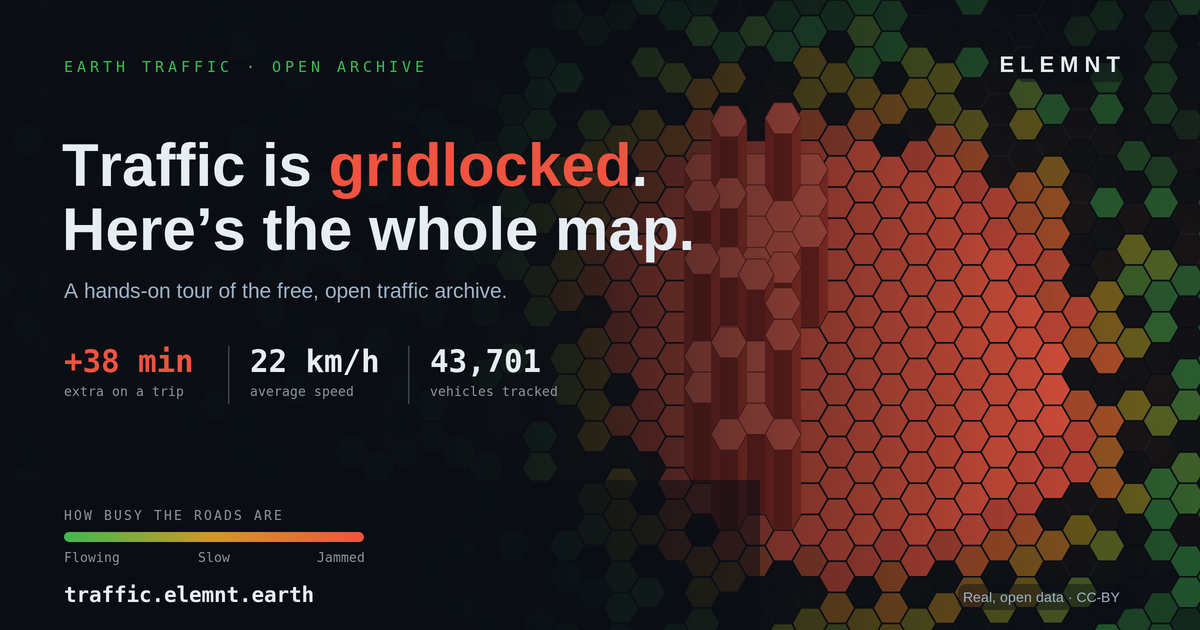
Three tabs, no sign-up, no API key. Here's how to read Thailand's roads on traffic.elemnt.earth — and how to pull the same data into your own map.
ELEMNT Review · ~12 min read
Open the page at noon on a Wednesday and it doesn't bury the lede: "Traffic is gridlocked — about +38 min on a typical trip." Average speed 22 km/h. Roads running at 35% of a clear run. 43,701 vehicles tracked in that one hour. No login, no paywall, no "request a demo" — just a whole country's traffic sitting in a browser tab, ready to scrub.
Earth Traffic is a free, public archive of how the roads actually move, rebuilt from anonymous probe vehicles. The traffic data comes from the iTIC Foundation and is published under CC-BY-4.0, so you can reuse it as long as you credit the source. The map itself runs on ELEMNT, the cloud-native geospatial platform — which is the quiet point of the whole thing, and we'll come back to it. First, the tour. There are three tabs.
Live map: the part you'll stare at
The default view is a hexagon heatmap of the entire country, coloured by one honest question — how busy are the roads — on a scale from green ("Flowing") through amber ("Slow") to red ("Jammed"). No jargon, no congestion indices to decode. The headline panel translates the colour into the number you actually care about: how many extra minutes the jam is costing a typical trip right now, and which areas are worst. On that Wednesday snapshot the "Slowest areas this hour" board reads like a Bangkok commuter's group chat — Bang Na, Ratchaphruek, Silom·Sathon, Chaeng Watthana, Bang Kapi — each pinned at 0 km/h.
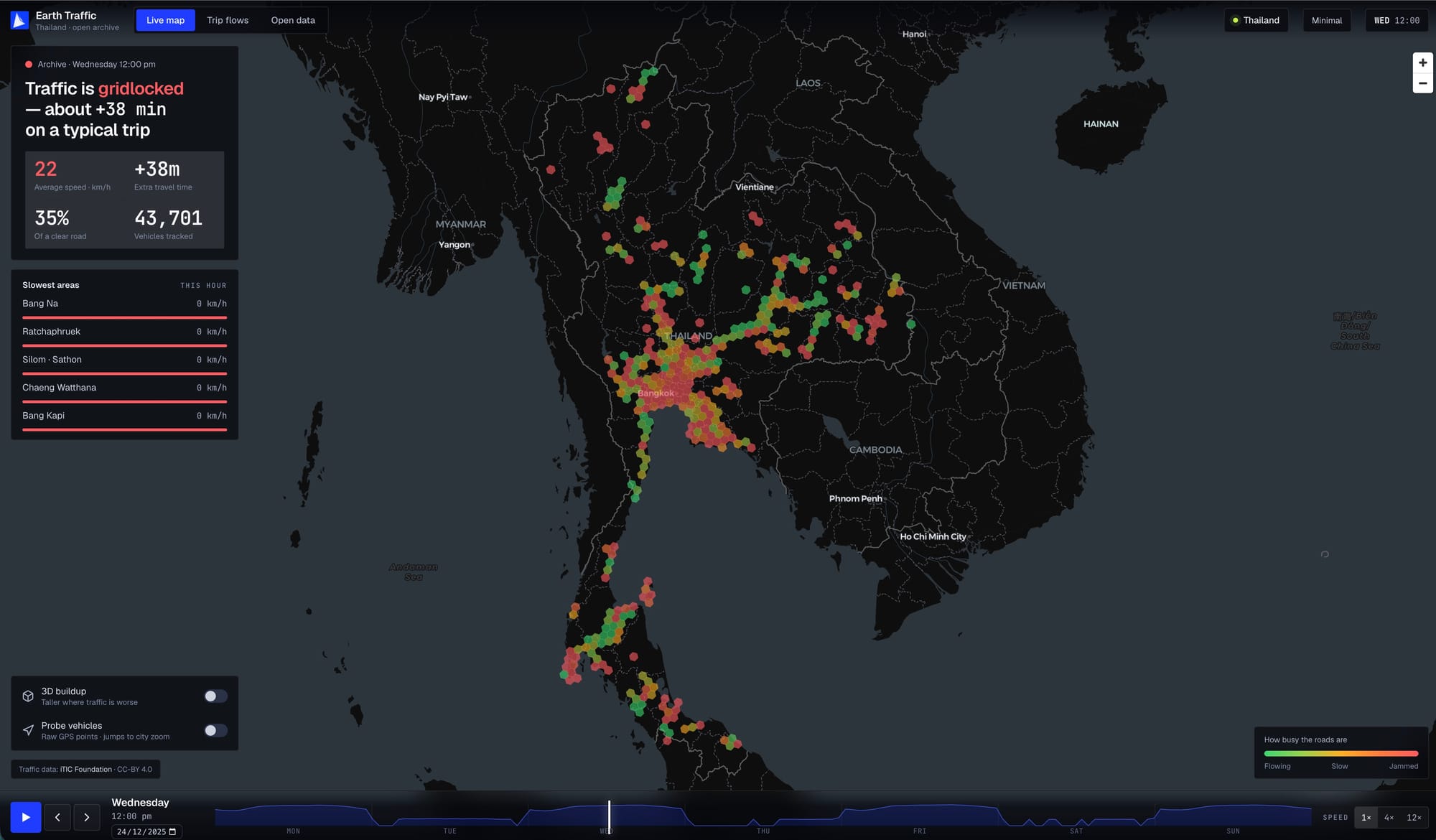
Zoom matters here. At the national level you see a few fat hexagons stretching from the Bangkok core up the northern corridor and down the southern peninsula. Zoom toward a district and the grid re-quantises itself into smaller hexagons; keep going and you're looking at individual street segments. It's the same data the whole way down — the H3 hexagon grid simply auto-coarsens as you zoom out and sharpens as you zoom in (the archive serves resolutions 5 through 11). Nothing reloads; the map just gets more precise.
Two toggles change how you read it. 3D buildup extrudes each hexagon so it stands taller where traffic is worse — flip it on at the national view and the Bangkok region erupts into a forest of red columns you can see from across the country. Probe vehicles drops the hex overlay for the raw GPS pings underneath — thousands of individual coloured dots crawling along the road network at city zoom, which is the moment the abstraction becomes obviously real: those are actual vehicles.
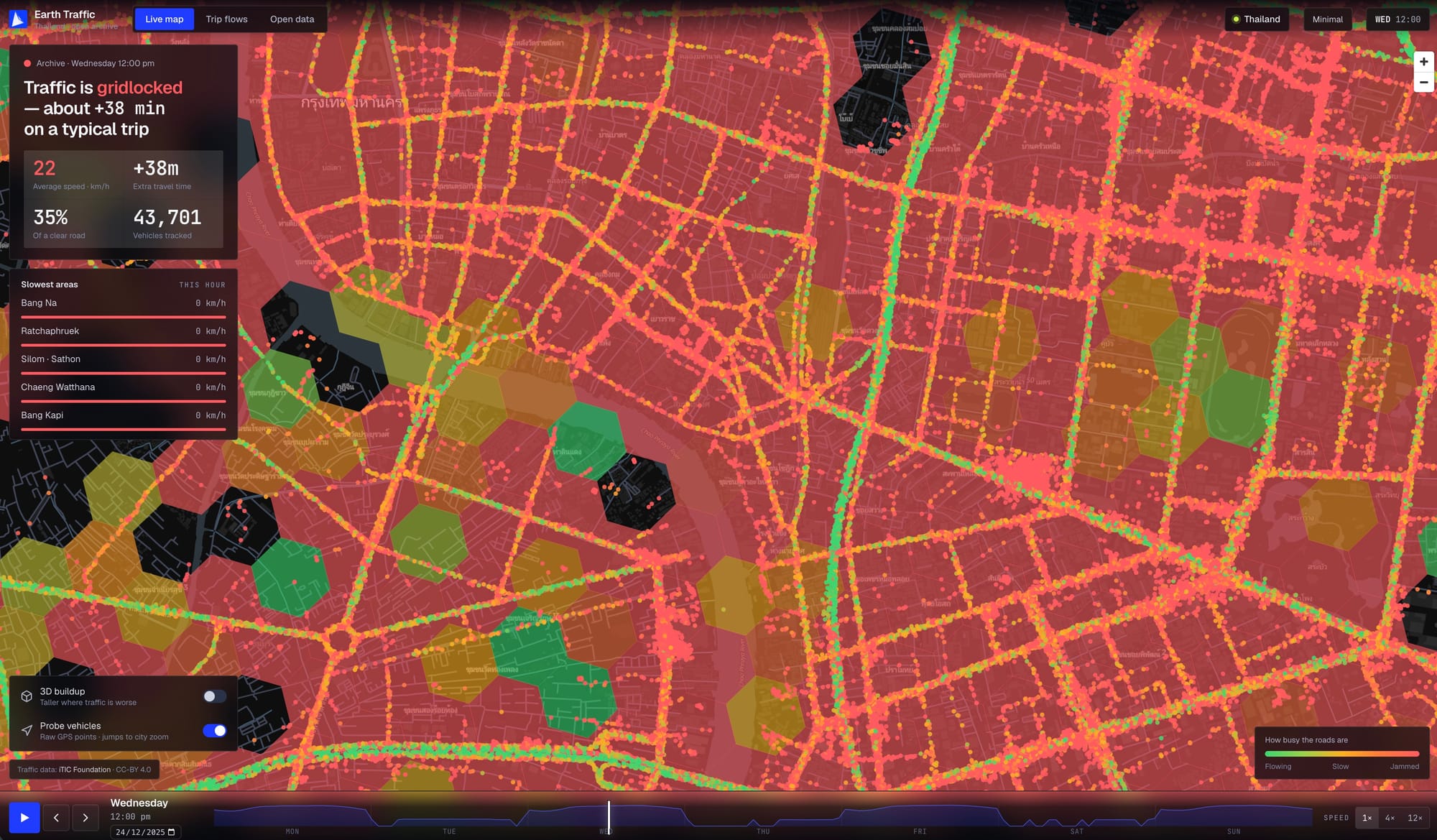
Then there's the timeline along the bottom, and it's the best toy on the page. Hit play and the week runs — Monday through Sunday — with the hexes washing green-to-red and back as each morning and evening rush builds and clears. A small sparkline above the scrubber shows which hours have the most probe coverage. You can step hour by hour, jump to any day, or let it run at 1×, 4×, or 12× speed and watch a whole week of a country's breathing compressed into a few seconds.
Trip flows: where the city is actually going
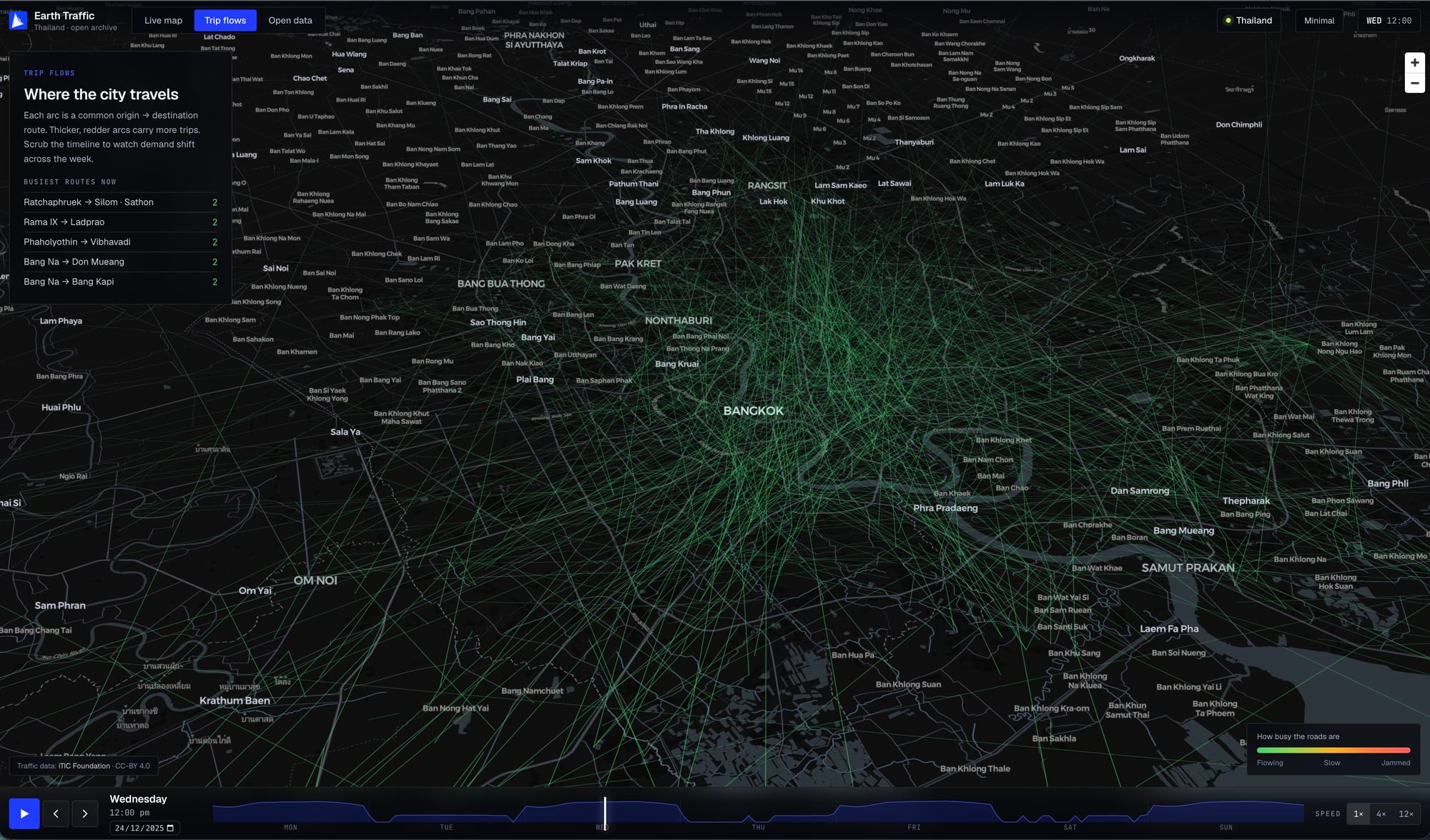
The second tab swaps hexagons for arcs. Each arc is a common origin → destination route, and the thicker and redder it is, the more trips it carries. Instead of where is it slow, this answers where is everyone trying to get. A "Busiest routes now" list ranks the live leaders — Ratchaphruek → Silom·Sathon, Rama IX → Ladprao, Phaholyothin → Vibhavadi, Bang Na → Don Mueang — and because it's wired to the same timeline, you can scrub across the week and watch demand swing from commuter corridors on a Wednesday morning to something completely different on a Saturday night. It's the difference between a congestion map and a demand map, drawn from the same data.
Open data: the part that makes it more than a poster
Here's where Earth Traffic stops being a thing you look at and becomes a thing you build on. The third tab is a plain REST + JSON API — no sign-up, no API key — and the page is refreshingly blunt about it: every endpoint here is one this very map runs on. Two of them matter most.
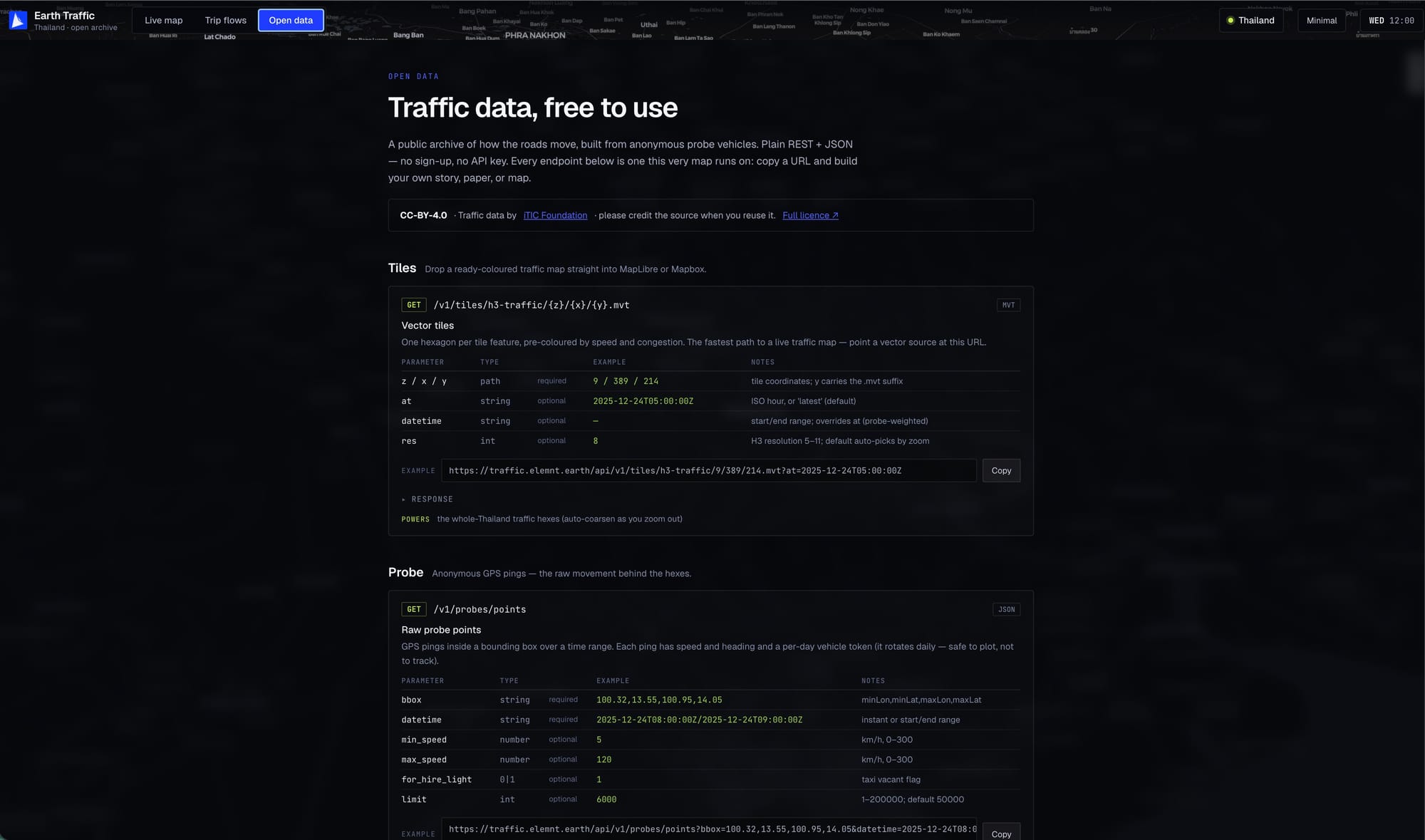
The vector-tile endpoint hands you the map itself, pre-coloured:
GET /v1/tiles/h3-traffic/{z}/{x}/{y}.mvt?at=2025-12-24T05:00:00ZOne hexagon per tile feature, already styled by speed and congestion. Point a MapLibre (or Mapbox) vector source at that URL and you have a live traffic map in a few lines — no tile server to stand up, no rendering pipeline to run. Ask for a specific hour with at, a range with datetime, or pin the H3 resolution by hand.
The probe endpoint gives you the raw movement behind the hexes:
GET /v1/probes/points?bbox=100.32,13.55,100.95,14.05&datetime=2025-12-24T08:00:00ZEvery ping carries a speed and a heading inside whatever bounding box and time window you ask for. Privacy is handled the right way: each vehicle's token rotates daily, so the data is safe to plot but not to follow — you can study the flow without tracking a person. There's even a for_hire_light flag to filter for vacant taxis. Pull it as JSON, drop it into DuckDB or a notebook, and you've got a research dataset for the price of a curl.
That's the whole pitch in one gesture: the visualization and the download are the same open source. If you reuse it — and CC-BY says you should credit it — the line is "Traffic data by iTIC Foundation."
Why the plumbing is the real story
None of the above needs a special-case stack. The hexagons are open vector tiles served from object storage through a CDN; the data is exposed through a plain open API; the heavy aggregation happened once when the archive was built, not on every pan. That's exactly how the ELEMNT platform is designed to work — which is why a country-sized, week-long archive can sit in a browser tab and stay quick instead of needing a room of map servers behind it.
Two honest notes. This is an archive — a replay of recorded probe data, not a live sensor feed — and it's built from anonymised probes, so it's a faithful picture of how the roads moved, not a tracker. And it's a traffic showcase, not turn-by-turn navigation or Street View; pair it with a routing engine if that's what you need.
Go scrub it yourself
Reading about a heatmap that breathes is a poor substitute for dragging the timeline yourself. Open traffic.elemnt.earth, hit play, and watch a whole country's week of rush hours rise and fall — then open the Open-data tab and pull the same hour into your own map.
What is ELEMNT?
ELEMNT is the cloud-native geospatial data platform — open formats (PMTiles, COG, Zarr, GeoParquet) served straight from object storage, OGC API-compliant, with transparent pay-per-use pricing and no vendor lock-in. From a single project to a billion tiles. Earth Traffic is one demo of what it can do.